Mobile Gaming Battery Optimization Tips for Long Gaming Sessions
Mobile gaming has become a favorite pastime for millions of players. Modern smartphones can run demanding games with impressive graphics, smooth frame rates, and online multiplayer features. While these advancements improve the gaming experience, they also place heavy pressure on battery life. Many gamers face sudden battery drain, overheating, and performance drops during extended gaming sessions.
A low battery can interrupt an exciting match, slow down gameplay, or force players to stop before reaching their goals. Fortunately, several practical methods can help extend battery life without sacrificing enjoyment. By adjusting device settings, managing background activities, and using smart charging habits, players can keep their phones running longer. These Mobile Gaming Battery Optimization Tips for Long Gaming Sessions can help you enjoy uninterrupted gameplay while protecting your device’s battery health.
Mobile Gaming Battery Optimization Tips for Long Gaming Sessions
Long gaming sessions require a balance between performance and power consumption. Small changes in settings and habits can significantly reduce battery drain.
Lower Screen Brightness
The display consumes a large portion of battery power during gaming. High brightness settings can quickly drain the battery.
Tips to reduce power usage:
- Lower brightness to a comfortable level.
- Enable adaptive brightness if available.
- Avoid using maximum brightness indoors.
- Turn off extra display effects when possible.
A moderate brightness setting can noticeably extend gaming time.
Reduce Screen Refresh Rate
Many smartphones offer refresh rates of 90Hz, 120Hz, or higher. These settings create smoother visuals but consume more battery power.
For longer gaming sessions:
- Switch to 60Hz when high refresh rates are unnecessary.
- Use adaptive refresh rate settings.
- Reserve higher refresh rates for competitive games.
Lower refresh rates help reduce energy consumption without affecting casual gameplay.
Close Background Applications
Many apps continue running even when you do not use them. These applications consume processing power and battery resources.
Before gaming:
- Close social media apps.
- Exit streaming services.
- Stop unnecessary downloads.
- Clear recently used applications.
A cleaner system allows your device to focus on gaming performance.
Enable Battery Saver Features
Most smartphones include battery-saving modes that reduce background activity and unnecessary functions.
Battery saver benefits include:
- Reduced background syncing.
- Lower power usage.
- Extended gaming duration.
- Better temperature control.
Choose a battery-saving mode that does not heavily restrict gaming performance.
Disable Unused Connectivity Features
Wireless connections constantly search for signals and consume battery power.
Turn off features you do not need:
- Bluetooth
- GPS
- NFC
- Mobile hotspot
- Wi-Fi when using mobile data
Reducing unnecessary connections helps preserve battery life during gameplay.
Use Gaming Mode
Many smartphone brands include a dedicated gaming mode. This feature focuses device resources on gaming and limits distractions.
Gaming mode often provides:
- Better resource management
- Reduced notifications
- Stable performance
- Lower background activity
Check your phone settings to activate gaming mode before starting a session.
Adjust In-Game Graphics Settings
High graphics settings place a heavy load on the processor and graphics chip.
To improve battery life:
- Lower texture quality.
- Reduce shadow effects.
- Limit frame rates.
- Disable unnecessary visual enhancements.
Many games still look great on medium settings while consuming less power.
Keep Your Device Cool
Heat increases battery consumption and can reduce gaming performance.
Ways to keep your phone cool:
- Remove thick phone cases during gaming.
- Avoid direct sunlight.
- Play in a cool environment.
- Take short breaks during extended sessions.
A cooler device performs better and preserves battery efficiency.
Smart Charging Habits for Mobile Gamers
Battery optimization involves more than settings. Charging habits also affect battery performance over time.
Avoid Gaming While Charging
Gaming while charging creates excess heat. Heat places stress on battery components and may shorten battery lifespan.
If possible:
- Fully charge the device before gaming.
- Disconnect the charger before starting a long session.
- Use charging breaks between gaming periods.
This approach reduces heat buildup and protects battery health.
Use Original Chargers
Low-quality chargers can cause unstable charging and excess heat.
Benefits of original chargers include:
- Stable power delivery
- Better safety protection
- Consistent charging speeds
- Reduced battery stress
Always choose trusted charging accessories.
Maintain Healthy Battery Levels
Battery experts often recommend keeping charge levels between 20% and 80%.
Healthy charging habits include:
- Avoid frequent full discharges.
- Avoid keeping the battery at 100% for long periods.
- Charge before the battery becomes critically low.
These habits can help maintain long-term battery performance.
Device Settings That Improve Gaming Battery Life
Several system settings can reduce power consumption during gaming sessions.
Enable Dark Mode
Phones with OLED displays can save power when using dark mode.
Advantages include:
- Lower display power usage
- Reduced eye strain
- Improved battery efficiency
Many games and system menus support dark themes.
Disable Automatic App Updates
Automatic updates can begin during gameplay and consume resources.
Before gaming:
- Pause app updates.
- Schedule updates for later.
- Check for updates manually.
This prevents unexpected battery drain.
Limit Background Synchronization
Cloud backups, email syncing, and app refresh activities consume power throughout the day.
Reduce synchronization by:
- Disabling unnecessary sync options.
- Limiting cloud backups during gaming.
- Refreshing apps manually when needed.
This frees valuable battery resources for gaming.
Manage Notifications
Frequent notifications wake the screen and activate background processes.
To reduce interruptions:
- Enable Do Not Disturb mode.
- Silence non-essential alerts.
- Block unnecessary notifications.
Fewer interruptions help extend battery life and improve concentration.
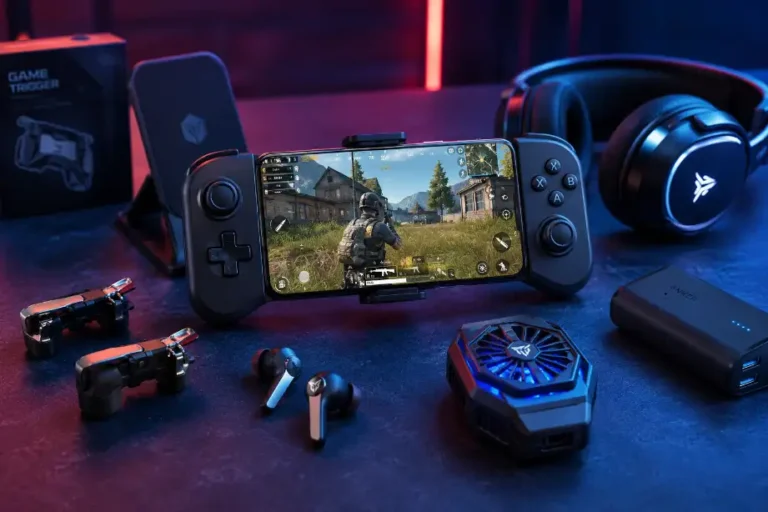
Accessories That Support Longer Gaming Sessions
Certain accessories can help mobile gamers maintain longer playtimes.
Portable Power Banks
A quality power bank provides backup energy when outlets are unavailable.
Look for:
- High battery capacity
- Fast charging support
- Reliable safety features
- Lightweight design
Power banks work well during travel and outdoor gaming sessions.
Phone Cooling Accessories
Cooling fans and cooling pads help control device temperature.
Benefits include:
- Reduced overheating
- Better battery efficiency
- More stable performance
- Improved gaming comfort
Cooling solutions can make a noticeable difference during demanding games.
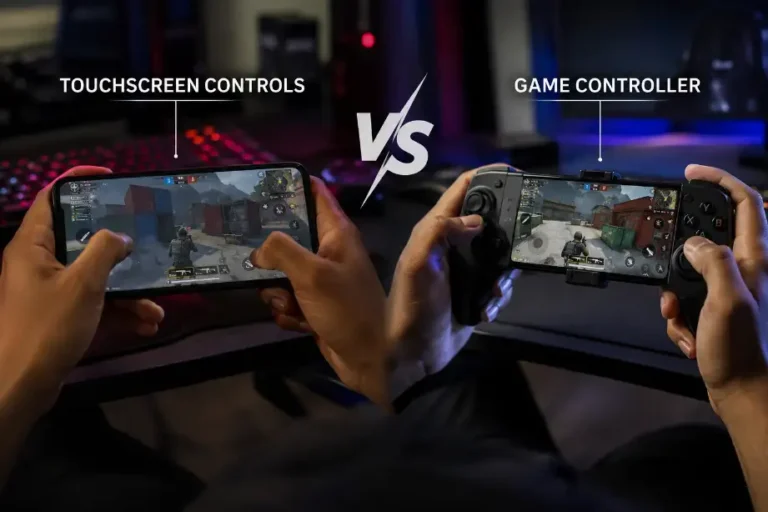
Gaming Triggers and Controllers
External gaming accessories reduce constant screen interaction.
Advantages include:
- Better control
- Reduced finger fatigue
- Improved gaming precision
- More comfortable long sessions
These accessories can support a more enjoyable gaming experience.
Common Mistakes That Drain Battery Quickly
Many gamers unknowingly reduce battery life through poor habits.
Avoid these common mistakes:
- Playing at maximum brightness.
- Running multiple apps in the background.
- Using ultra graphics settings unnecessarily.
- Gaming in hot environments.
- Ignoring battery-saving features.
- Charging with low-quality accessories.
- Leaving wireless features enabled when unused.
Removing these habits can significantly improve battery endurance.
Conclusion
Smart settings, proper charging habits, and temperature control help mobile gamers enjoy longer sessions while preserving battery performance.
F.A.Q
How can I make my phone battery last longer while gaming?
Lower brightness, reduce graphics settings, and close background apps.
Does gaming mode save battery life?
Yes, gaming mode reduces background activity and improves resource management.
Is high refresh rate bad for battery life?
Yes, higher refresh rates consume more power than standard refresh rates.
Should I play games while charging my phone?
No, gaming while charging creates extra heat and stresses the battery.
Does dark mode help save battery?
Yes, OLED displays often use less power when dark mode is active.
Why does my phone heat up during gaming?
The processor and graphics chip generate heat while handling demanding tasks.
Can a power bank help during long gaming sessions?
Yes, a reliable power bank provides additional power when needed.