How Mobile Game Controllers Compare to Touchscreen Controls
Mobile gaming has grown from a casual pastime into a serious entertainment platform. Players now enjoy action games, racing titles, battle royales, sports simulations, and role-playing adventures directly from their smartphones and tablets. As mobile games become more advanced, many players look for ways to improve comfort, accuracy, and overall gameplay. This search often leads to a common question: should players use touchscreen controls or mobile game controllers?
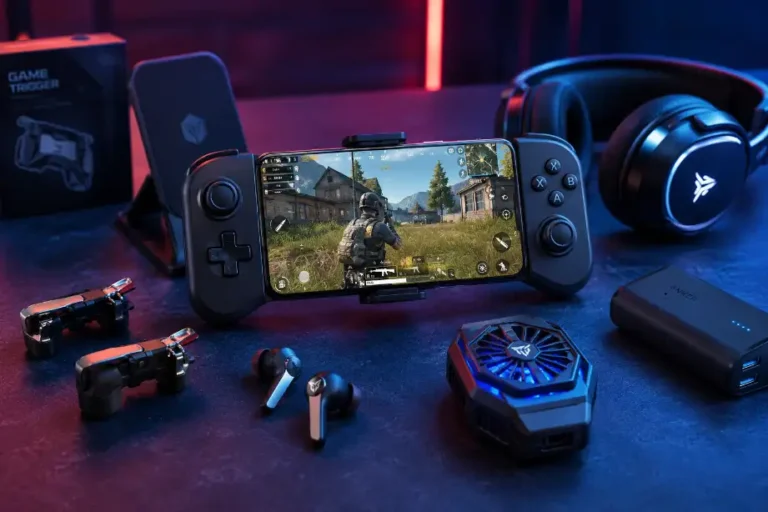
Both control methods offer unique advantages. Touchscreen controls come built into every smartphone, making them accessible and easy to use. Mobile game controllers, on the other hand, provide physical buttons and analog sticks that resemble traditional console gaming. Choosing between the two depends on personal preferences, gaming habits, and the types of games a player enjoys. Understanding their differences can help gamers make the right decision for a better gaming experience.
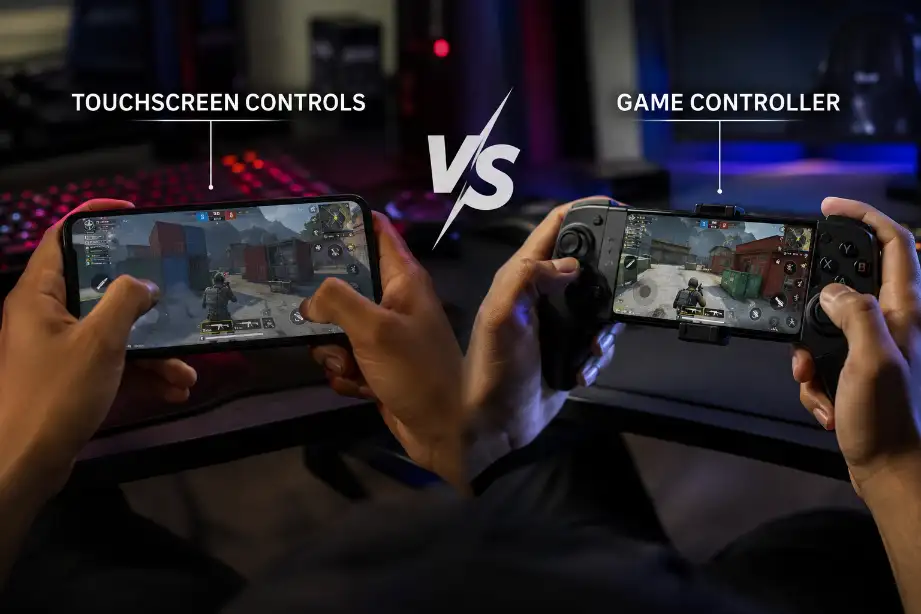
How Mobile Game Controllers Compare to Touchscreen Controls
When comparing mobile game controllers and touchscreen controls, several factors influence performance and user experience. These include accuracy, comfort, responsiveness, portability, and game compatibility.
Accuracy and Precision
Accuracy plays a major role in competitive gaming. Mobile game controllers often provide greater precision because physical buttons and analog sticks offer clear feedback.
Benefits of controller accuracy include:
- Better aiming in shooting games
- Smoother movement control
- Faster reaction times
- More consistent gameplay performance
Touchscreen controls rely on virtual buttons displayed on the screen. While many players become skilled with them, accidental taps and finger placement issues can affect precision.
For games that require quick movements and accurate targeting, controllers usually perform better.
Comfort During Long Gaming Sessions
Comfort becomes important when players spend hours gaming.
Mobile game controllers offer:
- Ergonomic grip designs
- Reduced finger strain
- Better hand positioning
- Less screen obstruction
Holding a smartphone for long periods while using touchscreen controls can cause discomfort. Fingers often block parts of the screen, and repeated tapping may create hand fatigue.
Players who enjoy extended gaming sessions often prefer controllers because they reduce physical strain.
Response Time and Control Feedback
Controllers provide tactile feedback through physical buttons. Players can feel button presses without looking at their hands.
Advantages include:
- Faster command execution
- Improved muscle memory
- Better movement consistency
- More confident gameplay actions
Touchscreen controls lack physical feedback. Players must rely on visual confirmation, which can slow reactions during intense gameplay situations.
Many competitive gamers choose controllers because they deliver a more familiar and responsive control experience.
Portability and Convenience
Touchscreen controls win in terms of convenience.
Reasons include:
- No extra accessories required
- Instant gameplay access
- No charging needed for external devices
- Easy travel experience
Every smartphone already includes touchscreen controls. Players can launch a game and start playing immediately.
Controllers require carrying an additional device. Some models also need charging or Bluetooth pairing before use.
For gamers who value simplicity and mobility, touchscreen controls offer a practical solution.
Learning Curve
Most smartphone users already understand touchscreen interaction.
Touchscreen advantages for beginners:
- Familiar interface
- No setup process
- Easy access to tutorials
- Quick adaptation
Controllers may require adjustment, especially for players who mainly use mobile devices. However, console and PC gamers often adapt to controllers very quickly because the layout feels familiar.
Performance in Different Game Genres
The type of game often determines which control method works best.
Action and Shooter Games
Controllers generally perform better in:
- First-person shooters
- Third-person shooters
- Battle royale games
- Action adventures
Physical triggers and analog sticks allow precise aiming and movement.
Racing Games
Controllers provide:
- Better steering control
- Improved acceleration management
- Smoother cornering
Touchscreen controls can still work well, but many players prefer analog controls for racing games.
Strategy and Puzzle Games
Touchscreen controls often outperform controllers in:
- Puzzle games
- Card games
- Real-time strategy titles
- City-building games
Direct screen interaction makes selecting units and managing resources easier.
Sports and Fighting Games
Controllers often provide an advantage because players can execute combinations and special moves with greater consistency.
Advantages of Mobile Game Controllers
Many players choose controllers because they improve gameplay quality in several ways.
Improved Gaming Experience
Controllers create a console-like experience on mobile devices. Physical buttons provide a familiar layout that many gamers enjoy.
Better Competitive Performance
Competitive players often seek every possible advantage.
Controllers can help with:
- Faster reactions
- Improved targeting
- Consistent movement control
- Reduced input mistakes
Reduced Screen Obstruction
Touchscreen gaming requires fingers to remain on the display.
Controllers free up screen space, allowing players to:
- See enemies more clearly
- Monitor game information easily
- Enjoy a cleaner visual experience
Customization Options
Many mobile controllers include customizable features such as:
- Programmable buttons
- Adjustable sensitivity
- Different grip styles
- Trigger configurations
These options allow players to create a setup that matches their preferences.
Advantages of Touchscreen Controls
Despite the popularity of controllers, touchscreen controls remain highly effective.
Universal Availability
Every smartphone includes a touchscreen. Players do not need additional equipment or accessories.
Lower Cost
Touchscreen controls cost nothing beyond the mobile device itself.
Benefits include:
- No extra purchases
- No maintenance costs
- No accessory replacements
Better Integration with Mobile Games
Many mobile games were designed specifically for touchscreen interaction.
Developers often create:
- Gesture controls
- Swipe mechanics
- Tap-based navigation
- Multi-touch functions
These features sometimes work better with touchscreen input than with external controllers.
Easy Setup
Touchscreen controls require no pairing, charging, or configuration. Players can start gaming instantly.
Factors to Consider Before Choosing a Control Method
Every player has different needs. Several factors should influence the decision.
Gaming Style
Ask yourself:
- Do you play casually or competitively?
- How many hours do you game each week?
- Which genres do you play most often?
Competitive gamers often benefit more from controllers, while casual players may feel comfortable with touchscreen controls.
Budget
Controllers vary in price. Some premium models cost nearly as much as entry-level gaming devices.
Touchscreen controls remain the most budget-friendly option.
Device Compatibility
Not all mobile games support controllers. Before purchasing a controller, check compatibility with your favorite games.
Travel Requirements
Frequent travelers may prefer touchscreen controls because they eliminate the need for extra equipment.
Players who mostly game at home may find controllers more convenient.
Future Trends in Mobile Gaming Controls
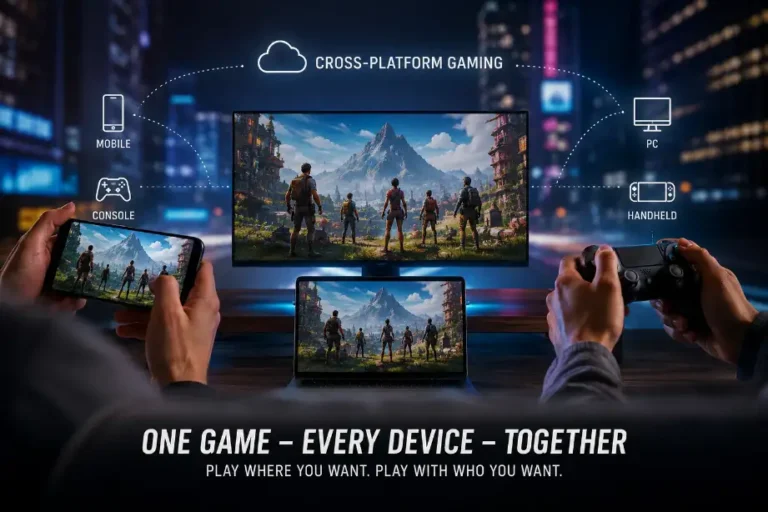
Mobile gaming technology continues to evolve. Developers now create games with support for multiple input methods. Cloud gaming services also encourage controller usage because many streamed games originate from console and PC platforms.
Several manufacturers continue developing advanced mobile controllers with:
- Better ergonomics
- Lower latency
- Enhanced battery life
- Wider device compatibility
At the same time, touchscreen technology continues improving through higher refresh rates, better sensitivity, and customizable control layouts.
As mobile gaming grows, players will likely enjoy even more control options tailored to different gaming styles.
Conclusion
Mobile game controllers offer precision and comfort, while touchscreen controls provide convenience and accessibility for different gaming preferences.
F.A.Q
Are mobile game controllers better than touchscreen controls?
Controllers usually provide better precision and comfort, especially for competitive gaming.
Do all mobile games support controllers?
No, some mobile games only support touchscreen controls.
Are touchscreen controls good for beginners?
Yes, beginners can start immediately without any setup or extra devices.
Which control method is best for shooter games?
Controllers generally offer better aiming and movement accuracy in shooter games.
Do controllers reduce hand fatigue?
Yes, ergonomic controller designs often reduce strain during long gaming sessions.
Are mobile controllers expensive?
Prices vary, but many affordable options are available for casual gamers.
Can touchscreen players compete with controller users?
Yes, skilled touchscreen players can compete effectively in many mobile games.